Asset Tracking for Field Service Contractors in 2026
Share this article
Asset tracking in field service management software should connect equipment identity, location, condition, and service history to the work your crews perform. For trade contractors across North America, the right setup helps dispatch assign suitable equipment, technicians access service records, and managers catch maintenance needs before they disrupt a job.
A map pin or equipment spreadsheet cannot do all of that. This guide explains what to track, which capabilities to test, and how to evaluate a field service platform against the way your business actually operates.
What should asset tracking cover for field service contractors?
Asset tracking should cover both the equipment your business uses and the customer equipment your technicians service. These are related records, but they support different decisions.
Company-owned equipment
This includes tools, test instruments, generators, lifts, trailers, and other reusable equipment. The operational questions are straightforward: Where is it? Who has it? Is it available? Is it safe and ready for the next job?
Give each tracked item a unique identifier. Record its model, serial number, current location, responsible person, condition, and maintenance requirements. For rental equipment, add the supplier, return deadline, and job assignment.
Customer equipment
This includes installed assets such as rooftop HVAC units, pumps, electrical equipment, and commercial water heaters. Here, technicians need the site location, equipment specifications, service history, warranty information, and applicable maintenance agreement.
A building can contain several identical units. A site address alone will not tell the technician which one had a recurring fault. Use a clear location description, such as building, floor, room, or roof position.
Keep assets separate from consumable inventory. A drain inspection camera needs an individual history. Boxes of fittings generally need stock quantities and replenishment controls. Treating both the same way creates unnecessary data entry without better equipment management.
How should field service management software connect assets to work orders?
The software should connect the equipment required to perform a job with the customer asset receiving service. That connection should remain visible from scheduling through completion.
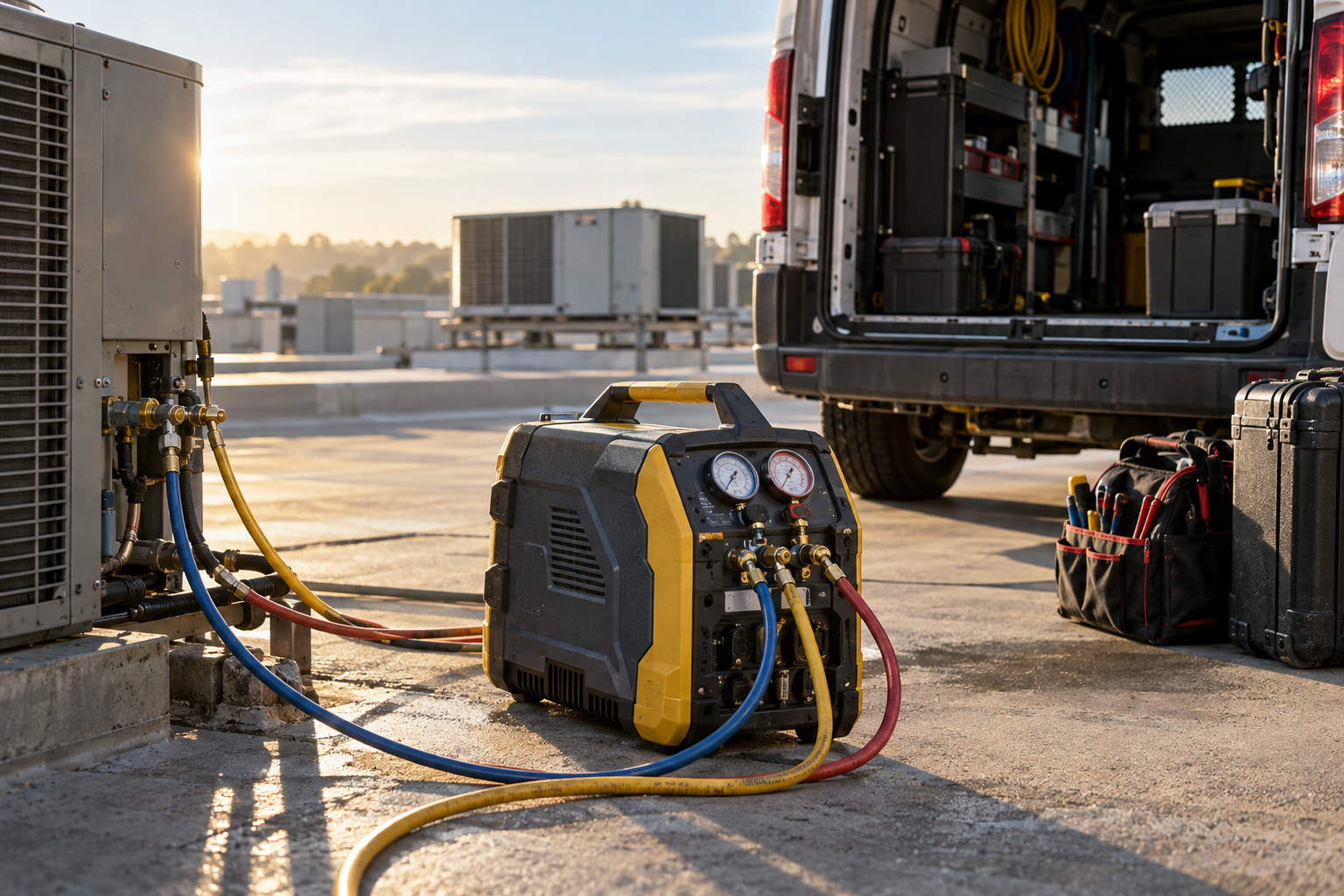
Consider a commercial HVAC call. Dispatch needs an available technician and a suitable recovery machine. The technician needs the correct rooftop unit record, previous findings, and access instructions. After the visit, the service notes should remain attached to that specific unit.
A useful workflow looks like this:
Create the work order: Identify the customer, site, and installed equipment requiring service.
Check requirements: Identify the skills, tools, test equipment, and parts needed.
Confirm availability: Check equipment assignments, reservations, and maintenance restrictions.
Complete the visit: Record findings, work performed, parts used, and unresolved issues against the correct asset.
Close the loop: Update equipment status and assign any follow-up work to a named owner.
Ask whether equipment is merely listed on a work order or actually reserved against it. Those are different capabilities. A note saying “bring the camera” does not prevent another dispatcher from assigning the same camera elsewhere.
For the broader scheduling and completion process, see our guide to work order management for high-volume service teams.
Which asset tracking capabilities matter most?
Prioritize capabilities that prevent missed visits, equipment conflicts, and incomplete service records. Evaluate what the system does during a real task, not how many features appear on a sales checklist.
Use this comparison table during vendor demonstrations. For each item, ask whether the capability is included, requires configuration, or depends on another product.
CapabilityBasic trackingConnected workflow to testEquipment identityA name in a listUnique ID, serial number, location, and serviceable components where neededLocation and responsibilityA manually edited location fieldRecorded transfers showing who moved equipment, where, and whenSchedulingEquipment mentioned in notesReservations and warnings for conflicting assignmentsMaintenance statusA reminder dateVisible restrictions and a defined release process after maintenanceCustomer service historyNotes stored under the customerWork orders, readings, and findings linked to the individual assetMobile accessOffice-only updatesField identification, record access, and updates with clear offline behaviorReporting and exportA current equipment listUsable asset history, status reporting, and exportable records
Also clarify what “real-time tracking” means. A technician's last scan, a phone location, and an equipment-mounted GPS signal are not interchangeable. Ask what generates the location, how frequently it updates, and whether the system displays its age.
For a wider evaluation framework, use our guide to field service asset tracking software alongside your own operational requirements.
How do mobile teams keep equipment records accurate?
Mobile teams keep records accurate when updates happen at natural handoff points and require little effort. A process that depends on reconstructing equipment movements every Friday will quickly fall behind.
Start with four events: receiving equipment, transferring it, reporting a problem, and returning it. Define who records each event and what information is required. Capture the minimum information necessary to support the next decision.
QR codes or barcodes can help workers open the right record without typing serial numbers. However, a scan is only useful if it triggers a meaningful action. Ask vendors to demonstrate a transfer between two technicians, not just a scan that opens an equipment profile.
Test the mobile experience where your crews work:
Can a technician distinguish two similar assets using photos and location details?
What remains accessible in a basement or mechanical room with poor reception?
Are offline changes clearly marked until they synchronize?
What happens if two people update the same record?
Can a worker report damage without navigating several unrelated screens?
This is where asset tracking meets mobile workforce management. Workers should update one usable record, not duplicate the same information in a text message, paper form, and office spreadsheet.
Explain the purpose before rollout: fewer wasted trips and clearer responsibility. If equipment or vehicle tracking can identify worker movements, review applicable US or Canadian privacy requirements and communicate what is collected.
How can equipment management reduce downtime and protect margins?
Equipment management reduces avoidable downtime by making readiness and maintenance visible before dispatch. It also provides the history needed to assess repairs, replacements, and equipment allocation.
Separate maintenance reminders from operating restrictions. A reminder says an inspection is due. A restriction identifies equipment that should not be assigned until an authorized person releases it. Verify whether the platform supports a warning, a hard block, or neither.
Set maintenance intervals using manufacturer guidance, usage, operating conditions, and applicable inspection requirements. A date-based schedule may suit some tools; runtime or meter readings may suit others. Software records support this process but do not establish compliance by themselves.
For an illustrative example, suppose a three-person crew loses 45 minutes because required equipment is unavailable. That is 2.25 crew-hours before counting travel disruption or the effect on the next appointment. Recording the cause helps distinguish an equipment shortage from a scheduling failure.
Track a small set of measures:
Equipment-related delays: Jobs delayed because an asset was missing, unavailable, or unserviceable.
Overdue maintenance: Assets beyond their required service or inspection point.
Repeat repairs: Recurring faults on the same company or customer asset.
Utilization: Equipment use measured consistently, such as operating hours or assigned days.
Define every measure before comparing results. Assigned days are not the same as operating hours. For dispatch decisions, equipment readiness should sit alongside technician availability, as explained in our guide to dispatch and routing control.
What should contractors test before choosing a platform?
Test a complete service scenario using representative equipment records, mobile users, and exceptions. A polished dashboard cannot show whether the workflow survives a damaged tool or an incorrect asset assignment.
Give each vendor the same scenario: two technicians, two customer sites, one shared piece of equipment, and one customer asset with previous service history. Then ask them to:
Import the records and explain how duplicate identifiers are handled.
Assign the shared equipment to overlapping jobs.
Mark it unserviceable and show what dispatch sees.
Transfer a replacement to another technician.
Record service against the correct customer asset from a mobile device.
Correct an error and show the available change history.
Export the asset records and explain how related service history and attachments are retrieved.
Confirm permissions, hardware needs, integration boundaries, and implementation responsibilities. If job costing matters, ask how equipment charges or rental costs reach the job record. Do not assume an accounting integration transfers every asset field.
Pilot one equipment category with a small crew before expanding. Clean up duplicate records, agree on naming conventions, and assign someone responsibility for data quality. Our guide to avoiding field service software adoption problems explains why workflow ownership matters as much as the software itself.
How do you turn asset visibility into better field operations?
Choose field service management software that helps your team act on equipment information, not simply store it. Start with the dispatch or service problem you need to solve, then verify the workflow end to end.
Tradetraks brings operations, financials, time tracking, safety forms, and communications into one platform, with OpsTrak focused on operations, dispatch, and projects. Bring your asset tracking requirements to the discussion and confirm which workflows are supported and where additional tools may be needed.
Book a Personalized Demo to review your equipment, work order, and field team workflows with Tradetraks. Built by the Trades, for the Trades.
Frequently asked questions
What is asset tracking in field service management software?
Asset tracking records equipment identity, location, condition, responsibility, and service history within a field service workflow. For contractors, that can include company-owned tools and machines or customer equipment maintained under service contracts. Its operational value comes from connecting those records to technicians, maintenance tasks, and work orders rather than maintaining a separate equipment list.
What is the difference between asset tracking and inventory management?
Asset tracking follows individual pieces of equipment over time, while inventory management typically tracks quantities of parts and consumables. A recovery machine needs a unique record, assignment, and maintenance history. Refrigerant fittings usually need quantity and replenishment controls. Some businesses also need serialized inventory, so ask vendors how their system handles the overlap.
Do contractors need GPS for equipment tracking?
Contractors do not need GPS for every asset. Barcode or QR code scans can support equipment identification and transfers when crews consistently record them. GPS or telematics may make sense for vehicles, trailers, or high-value mobile equipment. Confirm hardware requirements, coverage, update frequency, privacy obligations, and ongoing costs before choosing a tracking method.
How do I test asset tracking software before buying?
Test asset tracking software with a real job involving a technician, a required company asset, and a customer equipment record. Have the vendor demonstrate assignment, transfer, maintenance restrictions, mobile updates, and completed service history. Also test poor connectivity and data export. The goal is to verify the full workflow, not just whether an asset screen exists.